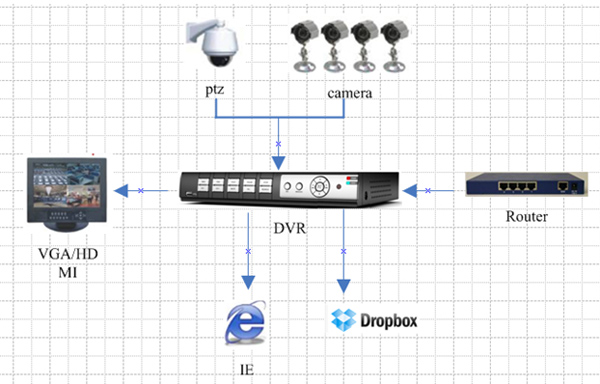
Data of Front camera are encoded in DVR storage via a transmission line. DVR access network and end-user need to upload a video set parameters in the DVR interface (for example: channel, time, upload interval, etc.). Fill in account information registered in DROPBOX official website manually to connect to the cloud space, in order to upload video or pictures.
DVR will only upload those videos and pictures transmitted from the front camera and recorded by DVR related to surveillance. DVR will not get another video or data from the network. The Dropbox path DVR upload is specified by the end user to set up, modifying the configuration of the DVR has a strict user administrative privileges, so do not worry about the end user to upload illegal or infringing video and documents via DVR. DVR does not automatically upload videos or pictures without user authorization, does not upload those movies or songsof CD / DVD, which avoid to involve copyright issues related to video or song. DVR recording video must be set by the end-user to manually upload.
Schematic is below:
DVR will only upload those videos and pictures transmitted from the front camera and recorded by DVR related to surveillance. DVR will not get another video or data from the network. The Dropbox path DVR upload is specified by the end user to set up, modifying the configuration of the DVR has a strict user administrative privileges, so do not worry about the end user to upload illegal or infringing video and documents via DVR. DVR does not automatically upload videos or pictures without user authorization, does not upload those movies or songsof CD / DVD, which avoid to involve copyright issues related to video or song. DVR recording video must be set by the end-user to manually upload.
Schematic is below:
Use step:
1.First of all, apply to be a user from https://www.dropbox.com/
2.Setup the network, make sure DVR can connect network
3.Open Cloud Storage,setup which channel that need snap and the interval time (1Min,3Min,5Min,10MIn); Open Motion Detection,so it can capture picture when in motion detection.
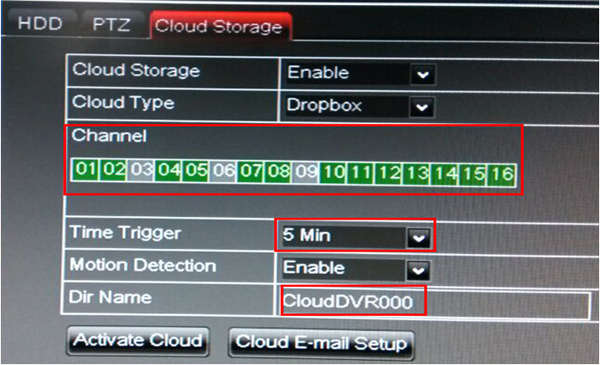
4. Dri Name means the folder name that you already created in Dropbox,,if the folder not exist,APP will create automatically ,you can name it as you like for example:CloudDVR000, the folder is used for preserving those pictures captured by DVR.
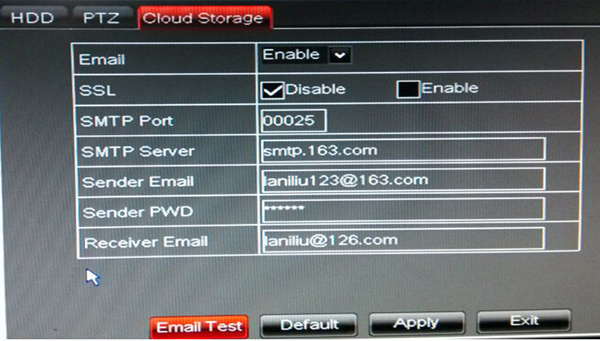
Click【Advanced E-mail Setup】to set email, then input your email information.
Click【Advanced E-mail Setup】to set email, then input your email information.
Click 【Active Cloud】to activate Cloud, you will receive an email if it work successfully ,the email contains a link enabling user to enter Dropboxas below:
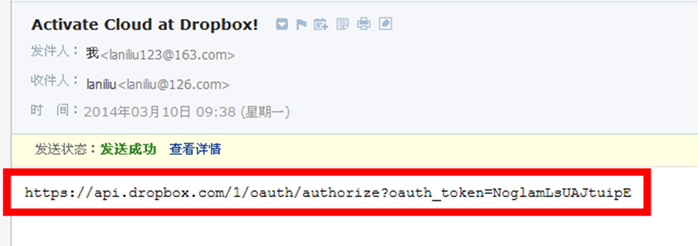
Use the user name registered on first step to enter above website, then
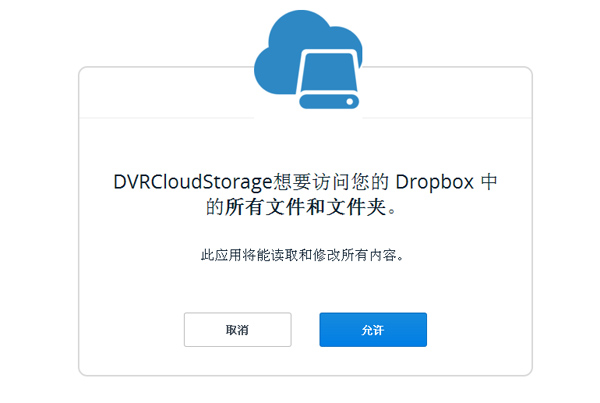
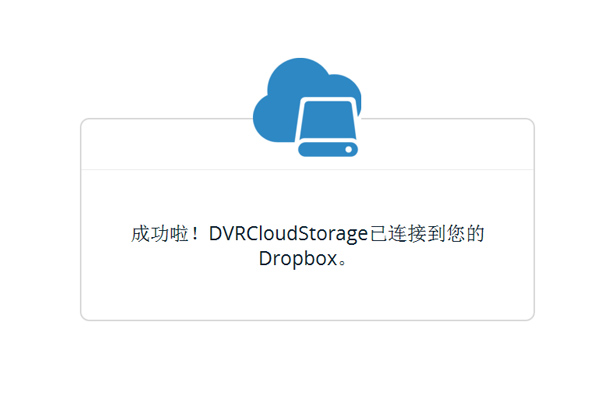
click“permit”
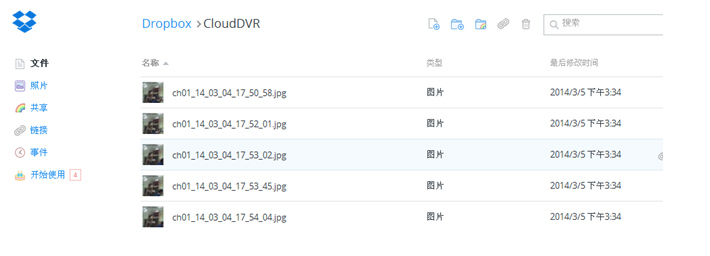
5.Clicking the icon located in top left corner enableyou to check the folder(CloudDVR000) set on the fourth step.
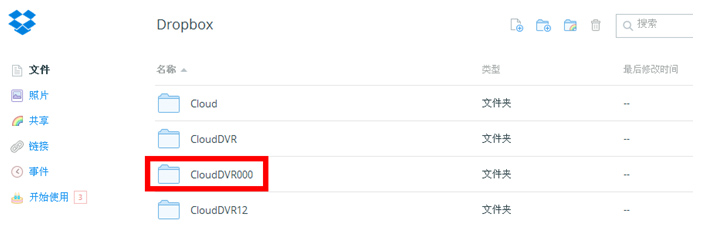
Entering this folder enable you to check those pictures captured by DVR.